
Archicad – BIM by architects for architects.
Design, visualize, document, and deliver projects of all sizes with Archicad’s powerful set of built-in tools and easy-to-use interface that make it the most efficient and intuitive BIM software on the market. With Archicad, you can focus on what you do best: design great buildings.
Design
Unleash your creativity with the leading BIM software developed by architects like you. Focus on what you do best — designing great architecture — thanks to powerful algorithmic design tools and large model support.
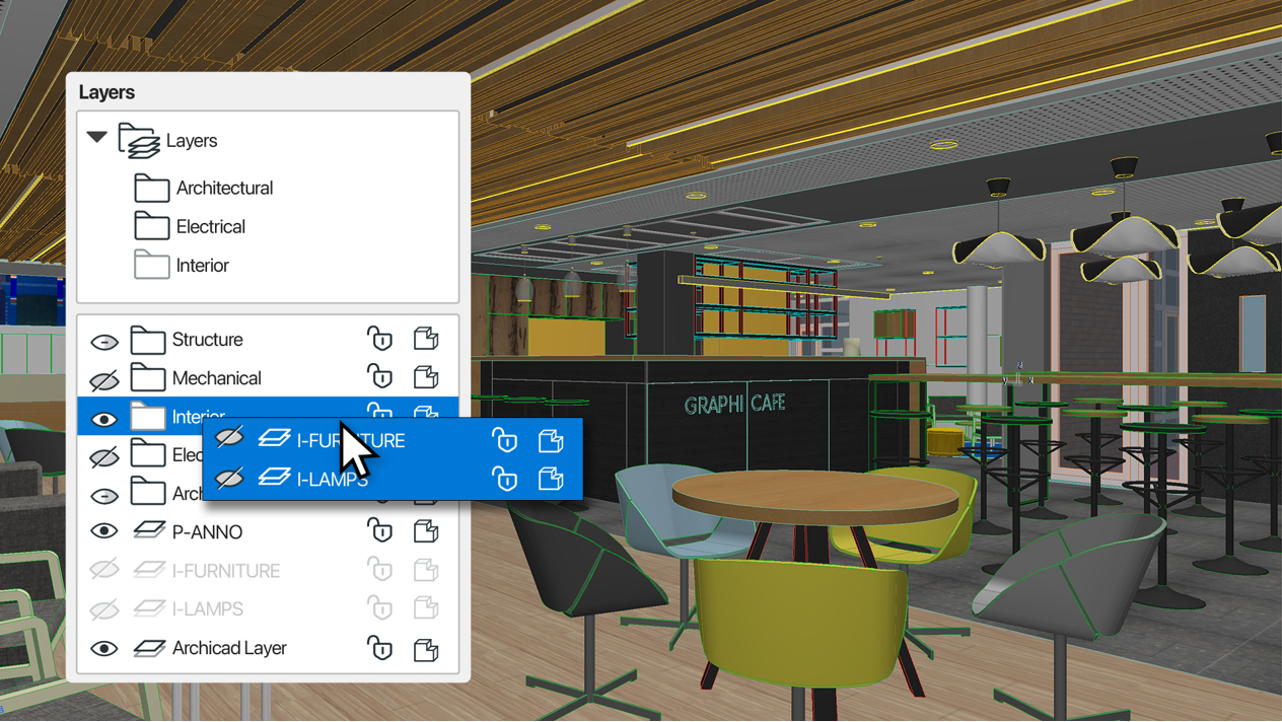
Save time and reduce the risk of errors while you focus on your design – even on large and complex projects. Easier and more intuitive navigation and management of attributes through a structured hierarchy.
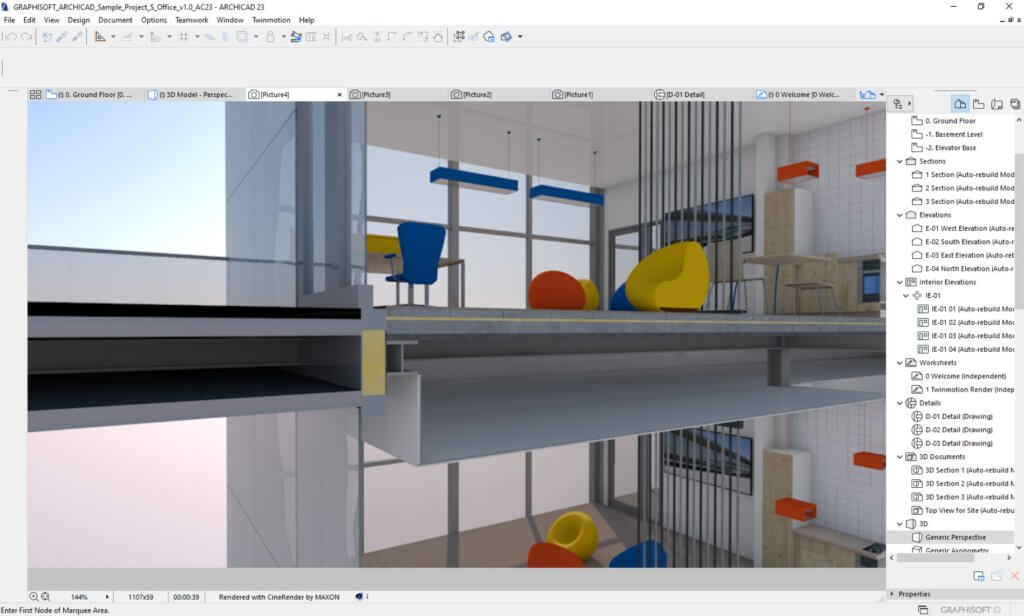
Model at any level of detail
Start with a basic element and add details as your design evolves. Use tools that represent real building elements – like walls, Beams, and Slabs – that make modeling as easy as drawing a line.
Visualize
Archicad’s professional architectural visualization tools translate your conceptual designs into compelling imagery of future buildings. Bring your models to life, inspire the audience, and invite stakeholders to engage with your designs.
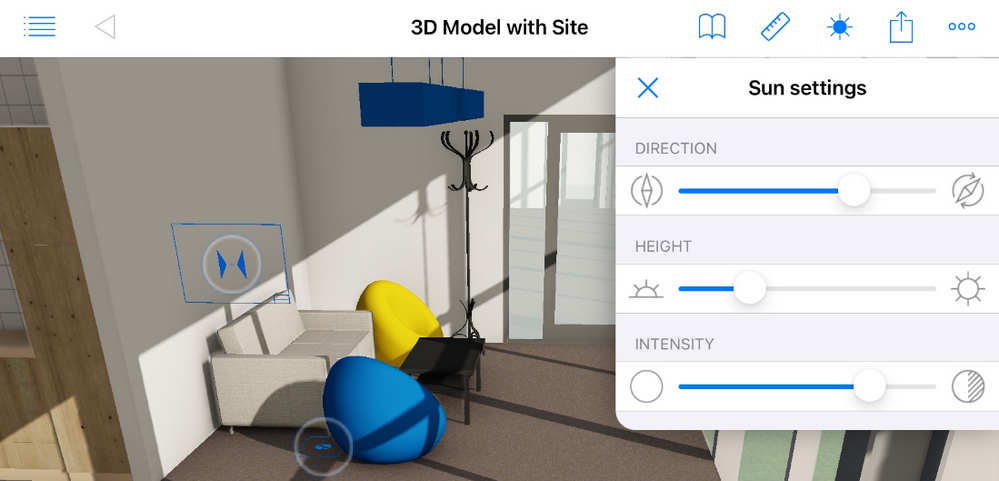
Enhanced BIMx Desktop Viewer
Archicad 26 brings powerful enhancements to the BIMx Desktop Viewer – more realistic visualization, a simpler, more informative Publisher workflow, and a new customization feature of Archicad’s texture export.
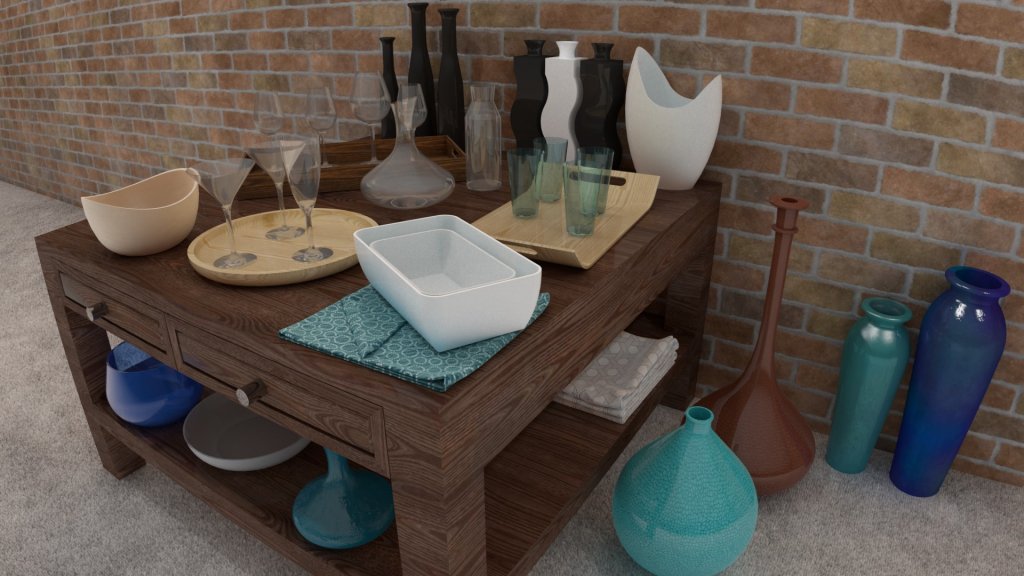
Built in Pro Surface Textures
Create high-end visualizations quickly and easily with new and updated surfaces in the Additional Surface Catalog*. More than 500+ surface materials, including new wallpaper and realistic metal surfaces, result in stunning photo-realistic renderings.
*Available for SSA and Graphisoft Forward subscribers only.
Collaborate
Work with your team and other disciplines around the corner or around the world on projects of any size and complexity. Open standards and workflows mean collaboration is guaranteed — regardless of what software other team members are using.

Track and Change
Use Archicad to resolve issues faster and reduce the risk of unsolved issues thanks to clear organization and real-time notifications of BIM model changes. Integrate issues from third parties based on compatibility with industry standard issue management solutions. Review issue history faster and highlight the changes thanks to better issue management and sorting.
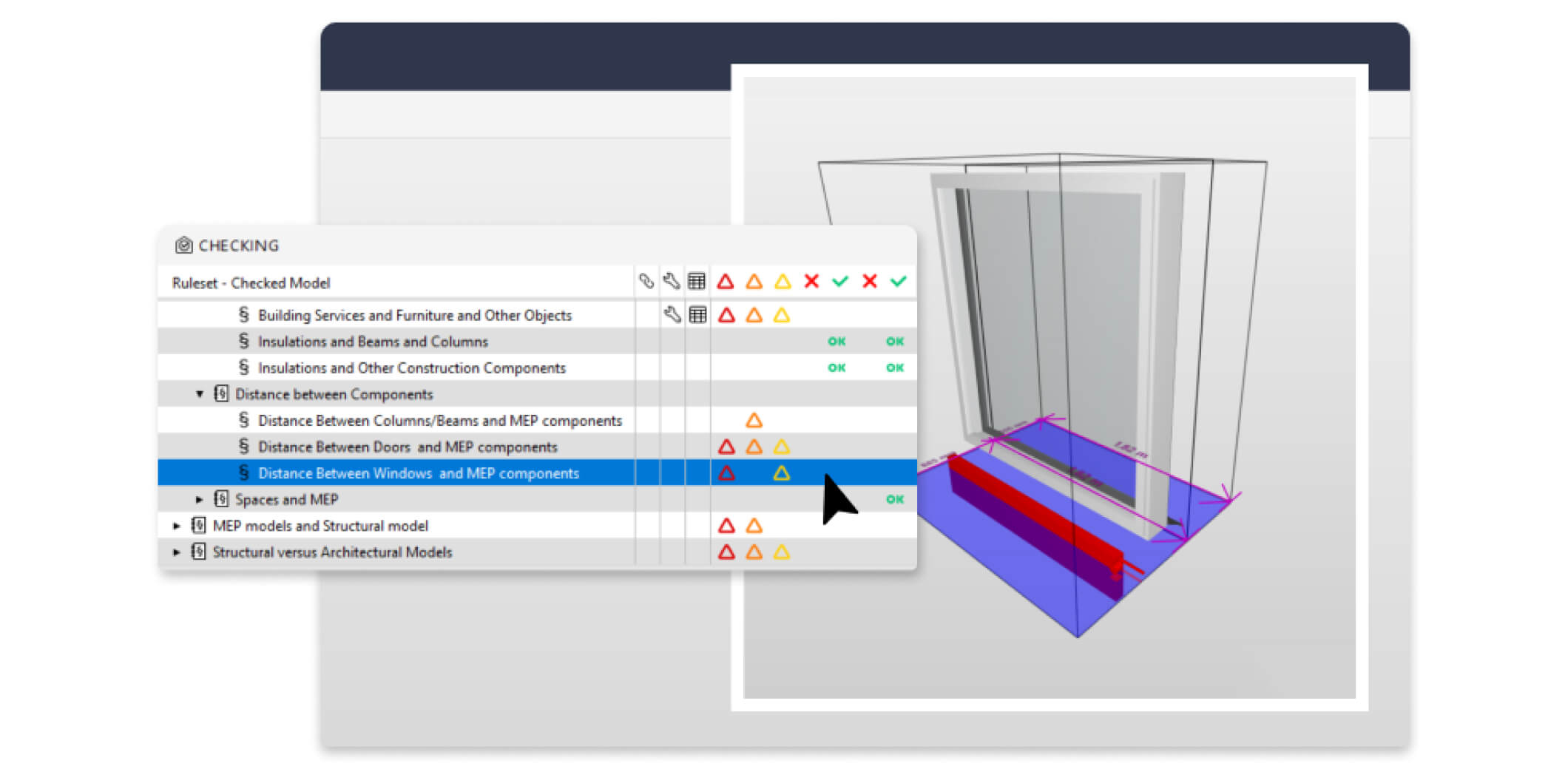
Archicad and Solibri
Get fast and automated code- and constructability checking with the Archicad-Solibri connection add-on that uses Solibri’s industry leading quality control technologies. Simply design, check, and amend as necessary.
Document
Complete, out-of-the-box documentation tools combined with a powerful publishing workflow that complies with local BIM requirements means you can focus on your designs, not the paperwork.
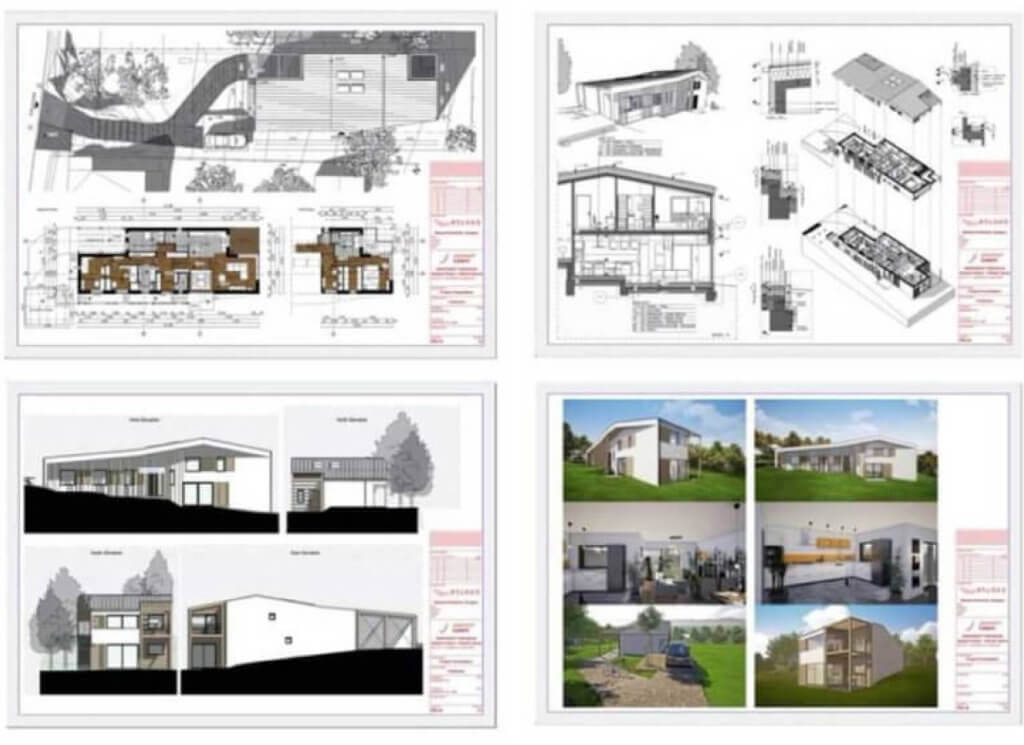
Out of the box Documentation
Get ‘out-of-the-box’ documentation sets straight from the BIM model. Fine-tune the look and feel of your documentation to match your audience. Extend your design services with quantity takeoffs with virtually no extra effort. Easily create schedules and sheets with accurate information coming from the BIM model — no more mistakes or miscalculations. Focus on your designs, not the paperwork.
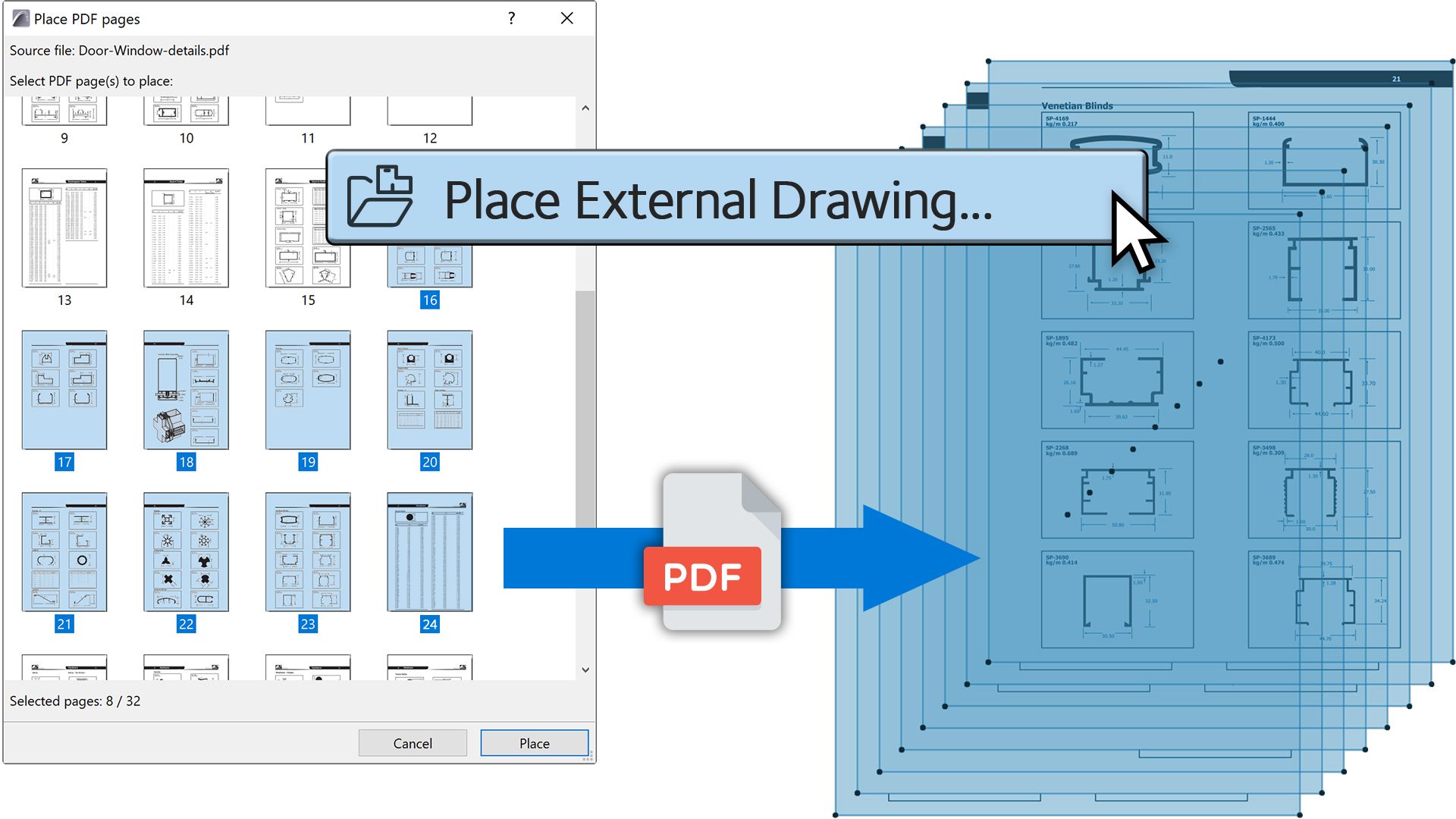
PDF Import Enhancements
Save time by spending less time on repetitive tasks – import multiple pages from a PDF with just one click.
Archicad Flexible Licensing Options
Graphisoft have always offered Archicad as a perpetual license. But not all firms and/or projects requires a permanent license. With Graphisoft’s latest subscription offering, you now have the ultimate flexibility on licensing options!
You can now purchase or subscribe to Archicad!
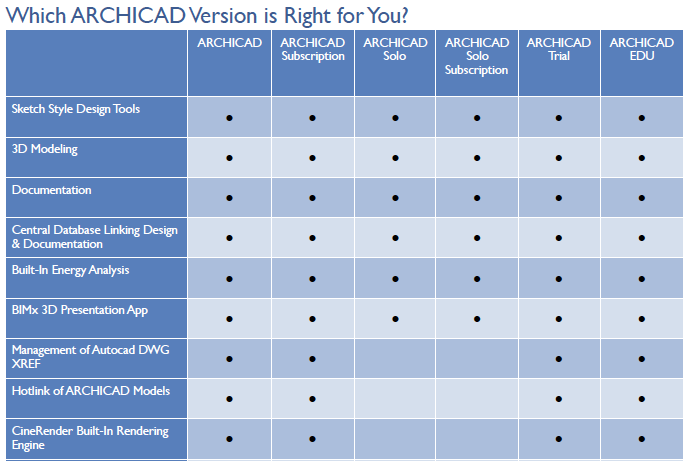
Archicad & Archicad Solo
The most noticeable difference between Archicad and Archicad Solo is the Teamwork functionality. If you need to work with teams, Archicad is the best option for you as it supports Teamwork and BIM Server options. Archicad also supports x-referencing of DWG/Autocad files as well as hotlinking of Archicad models/modules. While Archicad Solo can view x-refs, however you are not able to create or change them.
Both versions comes with the ability to render. Cinerender engine is included in Archicad while Archicad Solo do not. If you prefer to work within a single software with your visualization workflow, then Archicad is your best bet.
In conclusion, Archicad works well for all project types. If you are a sole practitioner, Archicad Solo is all you need.
Purchase & Subscription
Purchasing a software can be a big expense upfront for some companies but it comes with the benefit of owning your software, forever. There are however firms who might only need a license for the period of the project, this is where the new Subscription offering comes in.
Subscription offers less cost up front but could end-up with greater cost on the long-run. This option is ideal if there is short-term requirements for additional licenses and don’t expect it for longer periods.
The great part of the new licensing option offered by Graphisoft, you are free to choose which works for you. You can either choose the purchase route, subscription or even both!
Ready to try out the subscription option? Click here to go to the Graphisoft online store*: https://store.graphisoft.com/
*This link is an affiliate link by Vnix. Required login with a valid Graphisoft ID.